
Fiber infrastructure reference
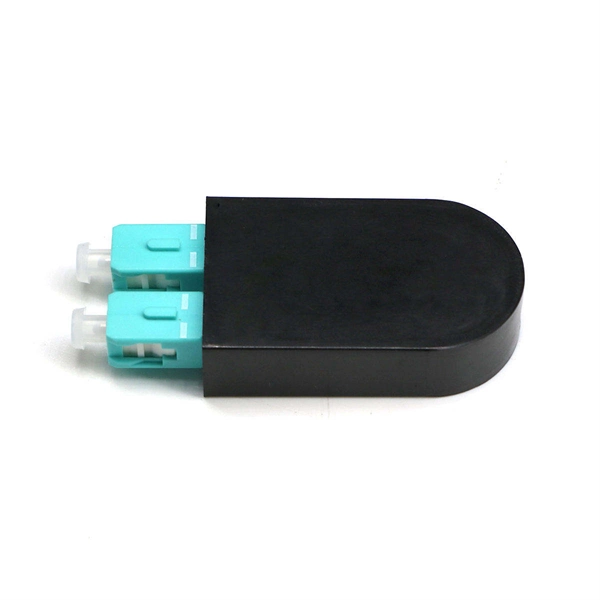
Fiber Network Troubleshooting – Common Issues & Fixes
Learn how to troubleshoot fiber networks. Identify common issues like high loss, dirty connectors, and signal drops, with practical solutions for optical links.
Fiber Optic Troubleshooting Guide: Problems, Tools
Learn how to troubleshoot fiber optic cables with common problems, a step-by-step process, essential tools, and proven solutions for stable network
The Ultimate Fiber Troubleshooting Bible for Beginners 2025
Solve fiber troubleshooting issues fast with step-by-step tips for beginners. Keep your fiber optic network reliable and fix common internet problems easily.
Fiber Optic Troubleshooting: Expert Guide for Common Issues
Troubleshoot fiber optic issues like a pro with our expert guide. Resolve common problems and ensure seamless connectivity.
Fiber Network Troubleshooting Guide: Common Issues and Solutions
This guide will walk you through diagnosing and resolving common fiber network issues efficiently. Why Do Fiber Networks Fail?
Fiber Optic Troubleshooting: Essential Tips for Fast
This comprehensive guide will equip you with the knowledge and tools needed to master fiber optic troubleshooting, ensuring your connections
Fiber Optic Issues: Troubleshooting & Prevention Tips
Solve common fiber optic network problems—attenuation, damage, connector issues. Learn troubleshooting steps, tools, and prevention to ensure reliable connectivity.
Fiber ONT Troubleshooting
Optical Network Terminal (ONT) troubleshooting guide: Tackling common glitches, step-by-step fixes, and preventive care for fiber-optic internet.
Fix Fiber Issues Fast: Your Ultimate HomeLinkd Guide
Explore our comprehensive guide on Troubleshooting your Fiber Connection, addressing common issues for improved internet performance.
Understanding Common Fiber Internet Problems and Solutions
Address common fiber internet problems with practical solutions to keep your connection fast and reliable.
What is SFP Port? Everything You Need to Know
What is an SFP port? The SFP port also refers to a Small Form-factor Pluggable port. It is a compact mechanical slot that accepts an SFP
AI-Ready Networking & Secure Cloud Solutions
Power your business with our global fiber network. We provide secure networking, edge cloud and AI-ready infrastructure to connect people, data and apps.
Fibre Optic Network Design Principles – Wray Castle
Introduction to fibre optic network design Fibre optic network design is the structured engineering process of planning how optical fiber infrastructure connects buildings, campuses, cities,
Do You Need a Modem for Fiber Internet? | BroadbandSearch
Unsure if you need a modem for fiber internet? Here''s everything you need to know to ensure you get the right equipment for your fiber-optic connection.
Fiber Optic Splitter Box: The Complete Selection & Installation Guide
A fiber optic splitter box (also called an optical distribution box, fiber splitter enclosure, or ODB) is a protective housing that contains and organizes fiber optic splitters, splice trays, and
Common Fiber Optic Cable Problems And How To Troubleshoot Them
A well-built fiber link rarely fails, but when it does the symptoms can be short, confusing, and expensive to chase. This guide lists the actual, field-proven problems technicians encounter most often and
Fiber-optic drones have emerged as critical kit for both
Simply put, fiber-optic drones are equipped with a cable thinner than a fishing line that trails back to the operator, maintaining a physical connection
Visionary Broadband
We''re an internet provider offering high speeds and fiber internet in Colorado, Montana, and Wyoming. Get connected today!
Related Video Reference
This video was associated with the source search result. Verify technical details against current product documentation and project requirements.