
How can one identify a broken fiber optic cable?
To identify a broken fiber optic cable, start by performing a visual inspection for any physical signs of damage, such as bends, cracks, or breaks...
Search optical fiber, connectivity, cable management and network infrastructure references.
Your Quantum Fiber router uses different colored lights to tell you what's going on. Blue means it's connected to the internet. Those blinking lights on your modem and router aren't just there to look pretty. And knowing the Modem router lights meaning can save you hours of...
[PDF Version]
Restarting your router, checking your modem connection, and resetting network settings often resolve the problem quickly. When issues like signal loss, slow speeds, or intermittent connectivity arise, systematic troubleshooting is key. Your fiber optical network terminal...
[PDF Version]
A red or flashing LOS light usually means the fibre signal to your home has been interrupted. When it's green and steady, everything is fine. However, when it blinks red or stays solid red, it signifies a Loss of Signal, a problem preventing your router from communicating...
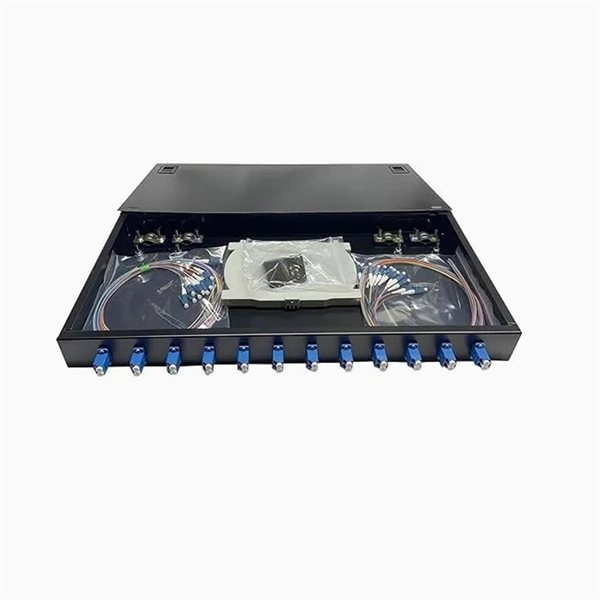
As an important part of fiber-optic communication, an optical module is a photoelectric converter which converts electrical signals into optical signals and vice versa. An optical module works at the physical layer of the OSI model and is one of the core components in the...
[PDF Version]
Solid Green or Blue: The router is powered on and functioning properly. Router status lights, often referred to as LED indicators, are small lights on the front panel of your router. Typically, these lights correspond to various router functions such as power. The tables in...
[PDF Version]
Fiber Optic Troubleshooting: Expert Guide for Common Troubleshoot fiber optic issues like a pro with our expert guide. Resolve common problems and ensure s.
[PDF Version]To identify a broken fiber optic cable, start by performing a visual inspection for any physical signs of damage, such as bends, cracks, or breaks...
There are several methods to test fiber optic cables without a tester. One method is using a visual fault locator (VFL), as mentioned earlier, to v...
Intermittent fiber optic connections can be caused by a variety of factors, including: Poorly terminated connectors or splices that result in unsta...
Most of the time, restarting your router, checking your cables, or updating the firmware can resolve the blinking red light issue. The common statuses for these lights are: Green: Indicates that everything is functioning correctly. However, when it blinks red or stays solid...
[PDF Version]Share the fiber interfaces, termination capacity, cable route and evidence required for handover.