
Kvm Over Ip Matrix System Product Guide
Search optical fiber, connectivity, cable management and network infrastructure references.
-
KVM Switch IP Settings
This tutorial introduces the steps to set a static IP for your GL. iNet KVM directly on the console when its upstream router can't allocate one. Log in to your Comet's console, and navigate to Settings -> Network -> Modify. This guide walks you through six simple steps to set...
[PDF Version]
-
KVM switch cannot shut down
Solution: First, check if the switch's power indicator light is on and ensure the power source is properly connected. If there's a power switch, make sure it's in the “On” position. What Do You Need? Administrator privileges. Name of the inactive KVM instance. For remote KVM...
[PDF Version]
-
WSS product optical module
Wavelength Selective Switches (WSS) provide agility in optical networks via their ability to reconfigure traffic and enable bandwidth sharing at the optical layer. Molex offers WSS products in Single- and Twin- formats, with port counts ranging from Single 1x2 to Twin 1x32+...
[PDF Version]
-
KVM Switcher Seamless Switching Between Two Inputs and One Output
KVM switches let you control multiple computers with one keyboard, mouse, and monitor, eliminating cable clutter and duplicate peripherals. The HDS-21RS features auto-scaling of any video signal up to 1080p, as well as PIP (picture-in-picture) technology offering. Built for...
[PDF Version]
-
Are KVM switchers obsolete now
While virtualization, cloud computing, and remote access technologies have reduced the need for KVM switches, they are not yet obsolete. KVM switches still have a place in many environments, particularly where multiple physical computers need to be managed simultaneously...
[PDF Version]
-
Optical modules are not assigned IP addresses
If possible, remove and reinstall the optical modules to check whether the fault is rectified. Query the software version of devices on the live network. The device cannot display any optical module information but services are running normally. If a module is identified as...
[PDF Version]
-
How to change the IP address provided by the fiber optic switch
You can configure the device with a static IP address, or you can use a Dynamic Host Configuration Protocol (DHCP) server to set the IP address of the switch. The device supports both IPv4 and IPv6 addresses. Connect the included Power Cord to the Power port. Proceed to the...
-
Transmission Matrix of Multimode Fiber
Transmission matrices (TMs) have emerged as powerful tools for distal control through multimode fibers (MMFs) 1 and turbid media. However, their use is hampered by mode mixing and other effects, leading to speckled output patterns. This can be overcome by measuring the...
-
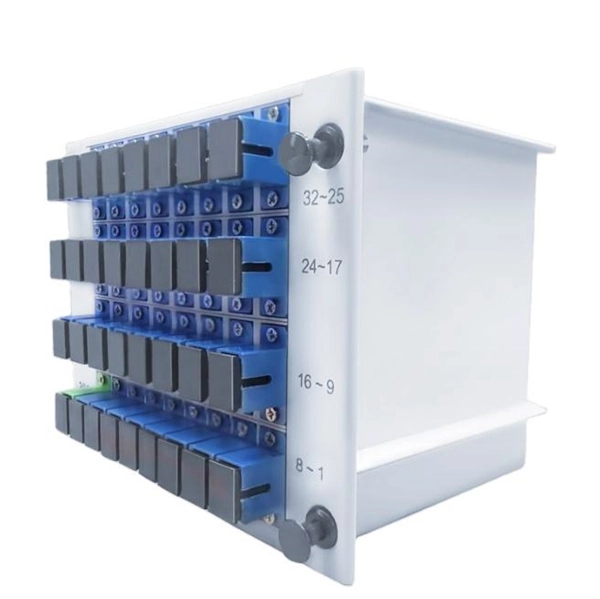
Huawei Aggregation Switch Product Configuration
This document provides instructions on configuring static LACP mode on a Huawei switch: create an Eth-Trunk interface, add GigabitEthernet ports as members, set the LACP priority to determine active/backup interfaces, and verify the configuration. Access devices downstream to...
[PDF Version]