
Fiber infrastructure reference
ADSS Fiber Optic Cable Installation and... | ABPTEL
The best practice includes tension checks, buffer tube management, and regular lash-back tests to keep the cable stable. Following these detailed
ADSS Fiber Optic Cables
The ADSS cable shall be attached to the pulling rope using a double swivel eye and woven wire grip. The double swivel eye insures the ADSS cable will not see an induced torque as the pulling line
ADSS Installation Guide
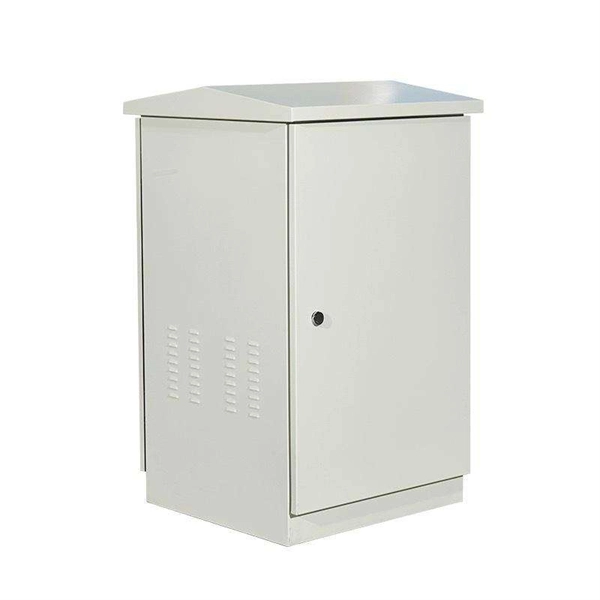
Step 2: Take the stripped cable through the cable entering hole, using the cable fixture out of the base to fix the ADSS, letting the loose tubes
ADSS Cable Accessories – Complete Guide for Fiber Optic Projects
Get everything you need for successful ADSS cable installation: suspension clamps, anchor clamps, down lead clamps, and pole fittings. Proven performance in power and telecom
The Complete Guide to ADSS Fiber Optic Cable
Learn everything about ADSS fiber optic cable installation, including planning, clamping, sag adjustment, and pro tips.
ADSS Fiber Optic Cable Installation and Maintenance: What
When it comes to ADSS (All-Dielectric Self-Supporting) fiber optic cables, proper installation and maintenance are critical for ensuring long-term reliability.
Installation of Solo® ADSS All-Dielectric Self-Supporting Fiber Optic
This procedure provides general information for installing all Corning Optical Communications Solo® ADSS All-Dielectric Self-Supporting fiber optic cables from 2-288 fibers.
Common ADSS Cable Installation Mistakes and How to Fix Them
In many FTTH and transmission projects, even the best ADSS cable can underperform due to minor mistakes during installation. Here are five common errors we''ve seen in the field — and how to...
Outdoor ADSS optical fiber optical cable setting problem
In conclusion, proper tensioning, support, clearance, weather protection, cable joint installation, and testing are all essential considerations to take into account when setting up ADSS
ADSS Fiber Optic Cable: Complete Guide To Aerial Self-Supporting
Complete guide to ADSS fiber optic cable — structures, PE vs AT jackets, installation hardware, voltage ratings, span selection, and FAQ. 25 year manufacturer, 130 countries, IEC 60794 certified.
All-dielectric self-supporting cable
All-dielectric self-supporting cable All-dielectric self-supporting (ADSS) cable is a type of optical fiber cable that is strong enough to support itself between structures without using conductive metal
How To Protect ADSS Fiber Cables ?
GL FIBER will explore in depth the maintenance strategies of ADSS optical cables and their common fault handling methods.
How to Choose the Right ADSS Cable Accessories... | ABPTEL
How to Choose the Right ADSS Cable Accessories and Hardware? Down Lead Clamp For ADSS Cable On Tower or Pole Are you feeling uncertain about the stability of your ADSS fiber
ADSS Cable Installation Guide | PDF | Optical Fiber
This document provides a summary of Teldor Cables and Systems'' recommendations for installing their ADSS (All-Dielectric Self-Supporting) fiber optic cables. It discusses safety precautions, cable
Fiber Optic Cable Repair: Quick and Effective Tips
Learn practical fiber optic cable repair tips, common causes of fiber damage, essential repair tools, and a lot more to restore network performance quickly and effectively.
Hardware for ADSS Cable
ADSS suspension clamp is a heavy duty, versatile, and reliable solution for securely suspending ADSS (All Dielectric Self-Support) aerial fiber optic cable. The versatility of the clamp allows the installer to
ADSS Cable Anchor Clamps: Types & Installation Guide
Aerial fiber optic networks rely on robust components to withstand harsh environmental conditions, and among the most critical is the ADSS cable anchor clamp. Designed specifically for All
ADSS Cable Installation Accessories for Aerial Fiber
Explore the essential ADSS cable installation accessories for safe and reliable overhead fiber optic deployment. Learn about suspension clamps,
Related Video Reference
This video was associated with the source search result. Verify technical details against current product documentation and project requirements.