
Fiber infrastructure reference
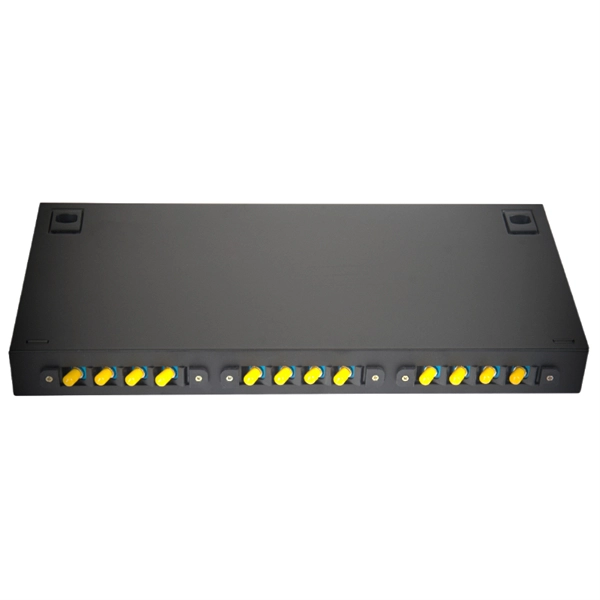
How To Configure Patch Panel
By organizing your cables, labeling them, choosing the right patch panel, installing the patch panel, and testing your connections, you''ll be able to optimize your network infrastructure and
How To Set Up A Network Switch And Patch Panel
By following this comprehensive guide, you will gain the knowledge and confidence to set up a network switch and patch panel effectively, laying the
How to Install Patch Panel and Switch?
This installation guide focuses on what a patch panel does, patch panel installation basics, and how to connect patch panel to switch while keeping cabling clean and easy to manage.
Patch Panels: A Complete Guide
To buy the right patch panel for your needs, you first need to know what those needs are. How many connections do you need to support with your
How to install and utilize a Patch Panel
HOW TO INSTALL A PATCH PANEL FOR NETWORK CABLING 📡 Are you setting up a structured network and wondering how to neatly organize your cables? The patch panel is your best friend! It...
How To Set Up A Patch Panel
By choosing the right patch panel, location, and cable types, labeling the cables, testing the connections, and documenting the setup, you can ensure an efficient and effective network.
Structured Cabling Patch Panel Setup Guide for Your
A step-by-step guide to structured cabling patch panel setup. Learn best practices to organize network cables in your data center for peak performance.
A Complete Guide to Installing and Managing Patch Panels
A patch panel is a centralized hub for managing network connections. Think of it as the control center for your cables, where they can be organized and rerouted easily.
Comprehensive Guide to Network Patch Panel & Keystone Jack
Learn the step-by-step network patch panel and keystone jack wiring methods, including essential tools, T568A/B wiring sequences, and tool-free installation tips.
Smart Patch Panel: The Ultimate Guide to Organizing Your Network
Smart patch panels revolutionize network organization by automating cable management, real-time monitoring, and digital labeling. Perfect for data centers, offices, or homes, they support 10G-100G
unsupervised_topic_modeling/topics/en/15/50/100/topics at
Contribute to annontopicmodel/unsupervised_topic_modeling development by creating an account on GitHub.
How to Use Cisco Packet Tracer | For Beginners!
Learn how to use Cisco Packet Tracer with our beginner''s guide. Start building virtual networks with this network simulation!
Configure Platform SSO for macOS using Intune: Top Guide
Learn how to configure Platform SSO for macOS using Intune, enabling seamless single sign-on using passwordless authentication, Microsoft Entra ID, or smart cards.
Smart Patch Panels & Intelligent Infrastructure Management Guide
Smart patch panels and IIM don''t merely digitise labels; they inject live telemetry into the only network layer humans still touch daily. For organisations battling constant churn, strict regulation or razor-thin
Configure EAP Profiles and Settings in Windows | Microsoft Learn
This article presents information about commonly used ways to configure Extensible Authentication Protocol (EAP) settings. Specifically, it describes configuring EAP profiles by using
Patch Panel Installation: 11 Steps to Installing a Network Patch Panel
A patch panel is a device that the Ethernet wires terminate into for a computer network. Learn more about the steps to installing yours!
Hardware
Belden PatchPro® offers a complete intelligent ready physical layer management system that uses RFID (radio frequency identification) technology for wireless identification of individual patch cords
SmartPatch™ Copper Snap-In-Jack Pane
APPLICATION SmartPatch Intelligent Patch Panels enable the monitoring and recording of patching status for copper networks. Intelligent panels communicate with and receive power from the
Related Video Reference
This video was associated with the source search result. Verify technical details against current product documentation and project requirements.