
Fiber infrastructure reference
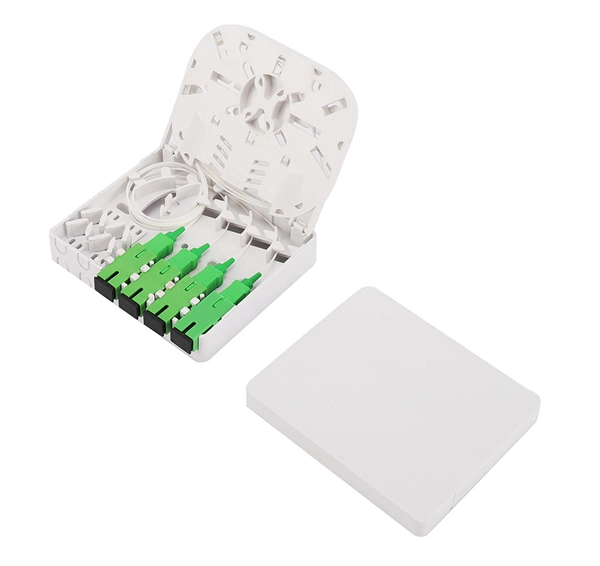
Fiber Optic Troubleshooting Guide: Problems, Tools
This guide offers practical steps to troubleshoot fiber optic cable issues, covering common problems, key tools, and preventive measures to
Fix Fiber Issues Fast: Your Ultimate HomeLinkd Guide
Explore our comprehensive guide on Troubleshooting your Fiber Connection, addressing common issues for improved internet performance.
The Ultimate Fiber Troubleshooting Bible for Beginners 2025
Solve fiber troubleshooting issues fast with step-by-step tips for beginners. Keep your fiber optic network reliable and fix common internet problems easily.
Fiber Network Troubleshooting – Common Issues & Fixes
Learn how to troubleshoot fiber networks. Identify common issues like high loss, dirty connectors, and signal drops, with practical solutions for optical links.
No internet after a power cut? : r/FiberOptics
On the bottom of your ONT is a factory reset button. Press and hold it for a few seconds (you''ll need a paperclip). See if a hard restart brings it back into sync. Unless there has been physical damage to
No connection to full fibre following installation
Try taking the DSL cable out and rebooting the router. Try another ethernet cable, any will do. Believe it or not, there is occasionally a remote configuration issue with these ONTs that stops the LAN light
Fiber ONT Troubleshooting
Don''t let optical network terminal (ONT) problems disrupt your fiber-optic experience. At BroadbandSearch, we developed this guide to help you avoid unnecessary service calls and prevent
Fix Fiber Jack Connection Issues
Troubleshoot your Fiber Jack effortlessly with our guide. Learn how to find and reset it for optimal internet performance and stay connected.
Fiber Troubleshooting | CenturyLink
Is your fiber internet not working right? Troubleshoot common issues and ways to improve your Fiber Internet connection from CenturyLink.
Fiber Optic Troubleshooting: Expert Guide for Common Issues
Troubleshoot fiber optic issues like a pro with our expert guide. Resolve common problems and ensure seamless connectivity.
Full text of "NEW"
Full text of "NEW" See other formats Word . the, > < br to of and a : " in you that i it he is was for - with ) on ( ? his as this ; be at but not have had from will are they -- ! all by if him one your or up her there
How Do I Reset My Fiber Internet for a Quick Fix?
1. Identify the reset button: Locate the reset button on your fiber internet router. It is usually a small, recessed button that may require a pin or paperclip to press. 2. Power off the router:
Yahoo Life: Latest News on Health, Wellness, Style, Fashion Trends
Yahoo Life is your source for style, beauty, and wellness, including health, inspiring stories, and the latest fashion trends.
How and When to Reset Your Modem | Quantum Fiber
Learn how to reset your Quantum Fiber modem/router to default settings. The factory reset on a modem should be used with caution. Find out how to do it correctly.
How to Reset Your Router | Easy Fix for WiFi Issues
A router is a device that manages the traffic on your local network, allowing multiple devices to connect to the internet through a single connection.
Why Is My Fiber Internet Not Working | Brightspeed
When experiencing issues with your fiber internet not working, use Brightspeed''s troubleshooting guide . Find quick fixes for slow speeds, outages, and more!
How to reset the fiber router ️
How to reset the fiber router 1. Locate the fiber router. It can be found in the living room, office or any other room in the house. It is usually a small device with flashing lights. 2. Look for the
Wi-Fi problems? Here''s how to diagnose your router issues
Get to the root of your Wi-Fi problems with these simple steps. They range from small tweaks to your existing router to buying a Wi-Fi extender to purchasing a new Wi-Fi router for a
Related Video Reference
This video was associated with the source search result. Verify technical details against current product documentation and project requirements.