
Fiber infrastructure reference
Troubleshoot external monitor connections in Windows
If you''re able to use one external monitor, but have issues using more than one, it''s possible that your display adapter (also called a graphics card) can''t support
How to Get Your Computer to Recognize Your HDMI
Having trouble getting your computer to recognize your HDMI splitter? Follow these troubleshooting steps to resolve connection issues and
Common Issues with HDMI Splitters and How to Fix Them
Fix: Check Connections: Ensure that all HDMI cables are securely connected. Test the Source: Confirm that the source device (like a laptop or media player) is
Why is My HDMI Splitter Not Working for Dual Monitors?
In this article, we''ll explore the possible reasons why your HDMI splitter is not working for dual monitors and provide you with troubleshooting steps to resolve the issue. Before we dive into
Dual display detection error
Using a HDMI splitter will not give a second monitor a connection that the PC can see as all it does is duplicate the HDMI signal. The second monitor must be connected using another video
Dual monitor setup: Unable to extend, can only duplicate
For the first time I''ve attempted a dual-monitor setup. I dusted off my wife''s old monitor and bought an HDMI splitter (Rocketfish). The splitter''s singular input HDMI is connected to the GPU on my PC.
Why is my HDMI splitter not detecting?
Solution: Ensure all your devices are HDCP compliant. Check the device specifications or the manufacturer''s website. If you suspect one of your displays isn''t, try connecting the source
Why is My HDMI Splitter Not Working? Try Out 5 Proven Solutions!
Sometimes, your HDMI splitter might encounter a few issues that prevent it from working correctly. There are several
HDMI splitter not detecting pc cable | Tom''s Hardware Forum
Now connect the monitors to the outputs of the splitter and power up the splitter. If you''re not getting a picture on a monitor when directly connected to the PC, then it''s a PC issue. If you''re
Unveiling the Secrets: Troubleshooting Tips to Get Your HDMI Splitter
To get your HDMI splitter to work, make sure all cables are securely connected to the splitter and devices. Power on all devices before connecting them. Check that the splitter is
Ethernet Splitter Not Working-Troubleshooting Solutions
Ethernet splitters are handy devices that allow you to expand your home network without the need for extra cables or routers. By enabling multiple
Why is My HDMI Splitter Not Working? Try Out 5 Proven Solutions!
To fix HDMI Splitter not working, Use HDMI Cables that Match Resolution or Ensure HDMI Splitter has Sufficient Power.
Didn''t detect another display when using 2 monitors with VGA splitter
0 I have a desktop without graphics card and I just bought a VGA 2 port 200 MHz VGA splitter. I have a LG monitor as primary and viewsonic VA1912wb monitor as seconday. when using
VGA Splitter Not Detecting Second Monitor:
VGA Splitter Dual Monitor Extended Desktop Vga Splitter Dual Monitor Extended Desktop is a great way to get the most out of your computer.
Troubleshooting Guide: Unraveling the Mystery Behind Your HDMI Splitter
Ensure the HDMI splitter is powered properly with the correct voltage, check for compatibility between the devices and the splitter, and verify that the splitter is designed to support
Why does my HDMI splitter not work?
Overall, the main reason why your HDMI splitter isn''t working is likely to be that it isn''t in a fully HDCP compliant setup. It may not be a problem with your splitter
Windows 10 will not detect second monitor and just mirrors the display
We have connected both via HDMI using I think the term is a HDMI splitter purchased from Amazon. We have updated the Nvidia drivers as suggested and ensured all the cables are
How to Connect a Splitter to Another Splitter: A
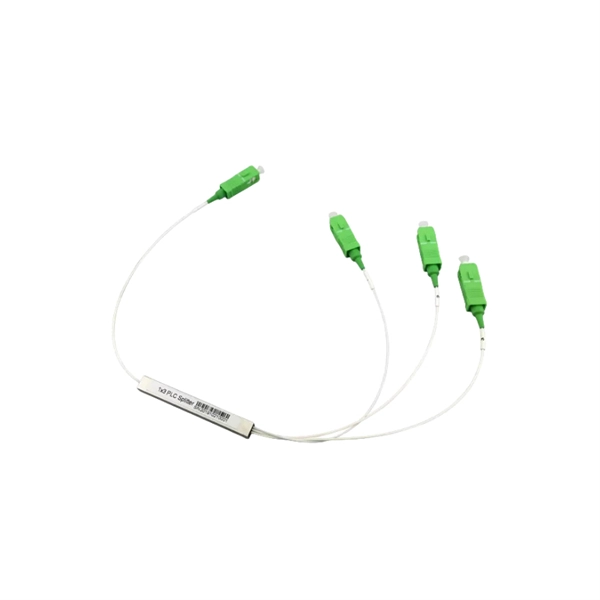
In this guide, we''ll explain how to safely connect a splitter to another splitter, covering both fiber optic and coaxial setups. We''ll also share tips to
Related Video Reference
This video was associated with the source search result. Verify technical details against current product documentation and project requirements.