
Fiber infrastructure reference
Installation procedure for flush-rear (recessed) mounting
Complete the following steps to attach the rear brackets to the extensions at the front of the switch. There are short and long rear brackets you can use for this step.
Cabinet and Rack Installation
This section describes the procedure for installing a Cisco MDS 9148S switch in a rack or cabinet using the optional Telco and EIA Shelf Bracket Kit. This section includes the following information:
5420 Series Hardware Installation Guide
To attach a switch to a four-post rack or a cabinet, follow these steps. Take care to load the rack so that it is not top-heavy. Start installing equipment at
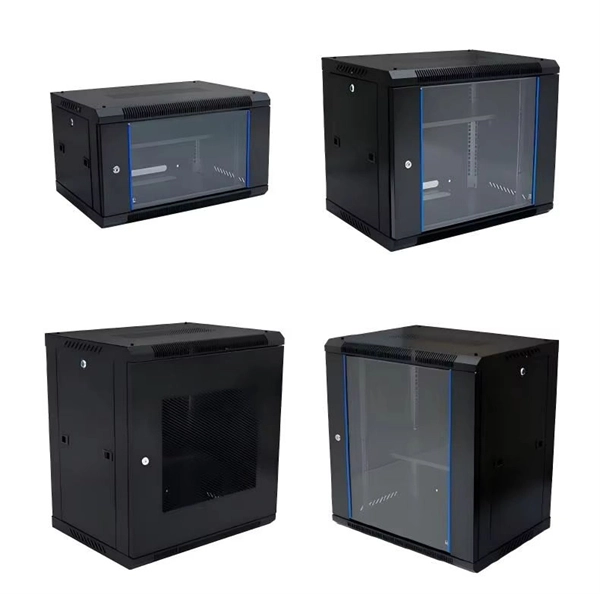
How to Install a Wall Mount Network Cabinet in Under 30 Min
Installing a Wall Mount Network Cabinet in under 30 minutes is entirely achievable — provided you have the right tools, a clear understanding of your wall type, and a cabinet sized correctly for your space.
Rack Mount Support Brackets
Shop Dell Rack Mount Support Brackets for secure server installation. Durable, reliable brackets for your data center needs.
Setup.exe: network installation tool & mounting
The Setup.exe is the ultimate mobile workstation for network racks. Install your hardware faster than ever before or flip the tool to let it hold your laptop or other
DIY Install | Wall Mount Brackets & Patch Panels
For this guide, we will be using a basic 1 RU (rack unit) wall mount bracket with a 6” depth and installing an ethernet patch panel. Rack units are the
Best Practices for Network Rack & Cabinet Installation
Implementing best practices for network rack and cabinet installation significantly enhances the performance, reliability, and longevity of your network infrastructure.
SPECIFICATION 271100 COMMUNICATIONS CABINETS AND
The work covered here consists of the furnishing of all necessary labor, supervision, materials, accessories, parts, equipment, and services to provide and install a complete freestanding
Network cabinet design considerations
With installations in existing buildings, there may be building shortcomings (no raised floor, low ceiling, concrete pillars in the room, etc.) that can influence the
How to Plan A Server Rack Installation | Cabinet Layout Guide | Home
A guide to planning a server rack installation and cabinet layout including cabling, cooling, power and monitoring considerations, by Server Room Environments
Network Installation Part 2 & 3: Prepping The Wall & Mounting The Cabinet
Here we have parts two and three of the Network Installation series. Part two covers locating studs with a stud finder and marking them with a level. Part three covers mounting plywood to the wall
Wall Mount Brackets for Network Racks and Cabinets
Wall mount brackets for network equipment. Durable, space-saving designs. Shop top-quality brackets at CablesAndKits.
Network cabinet placement and wiring tips
Network cabinet placement and wiring tips Many network devices are stored in the cabinets. In order to meet the normal operation of these devices in
The Ultimate Guide to Network Cabinets: Everything
It is really frustrating to organise and manage the tangled web of cables, servers and networks. But there''s nothing to worry about because ever
Wall Mounting Network Cabinet
Wall mounting a heavy network cabinet does not have to be a strenous task. This video shows you how to prepare the mounting site ahead of time to allow for...
Network Cabinet: Complete Guide for the Best Choice
Choosing the Network Cabinet is crucial to ensure the organization, safety, and efficiency of IT equipment. A well-selected cabinet not only optimizes
The Essential Guide to Network Cabinet Systems:
By selecting the right system, planning your installation carefully, implementing effective cable management practices, and regularly maintaining
Related Video Reference
This video was associated with the source search result. Verify technical details against current product documentation and project requirements.