
Fiber infrastructure reference
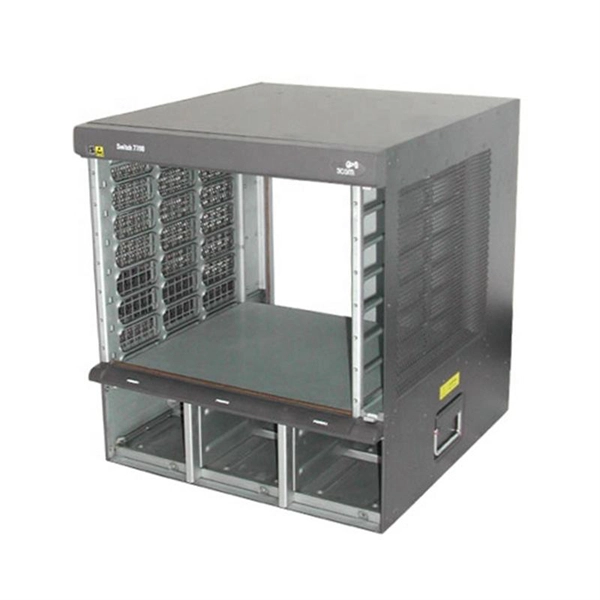
Correct connection method and function of industrial switch
Network cable connection: Use industrial-standard network cables such as Cat5e and Cat6 to connect the switch to various terminal devices such as sensors, controllers, PLCs, and higher-level network
Industrial ethernet explained
Open, industry-standard protocols make it easier to integrate devices from different manufacturers and can be implemented using off-the-shelf industrial-grade Ethernet switches and cabling.
Industrial Network Cabling & Connectivity Hardware | INS
Build a rugged, scalable network from the ground up. INS supplies and installs industrial-grade cabling, patch panels, cabinets, and connectivity hardware.
Industrial Ethernet Cabling for PLC Connections: Pinouts
Technical reference covering Industrial Ethernet cable pinouts, wiring standards, and connection requirements for PLC and industrial controller networking.
ISW Series Managed Industrial Ethernet Switch
When you connect cable to your network equipment, keep the following things in mind. Examine cable for cuts, bends, and nicks. Support cable using a cable manager that is mounted above connectors
Setting Up an Industrial Network Switch for Beginner
Are you new to setting up industrial network switches and feeling overwhelmed? Don''t worry, we''ve got you covered! In this comprehensive tutorial, we''ll walk you through the process of setting up
Cisco IE 1000 Industrial Ethernet Switch Hardware
Warning: Do not connect or disconnect cables to the ports while power is applied to the switch or any device on the network because an electrical
Guidelines for PLC installation, wiring and connection precautions
Go back to guidelines ↑ Special I/O connection precautions Certain field device wiring connections, however, may need special attention. These connections include leaky inputs, inductive loads, output
How To Install And Configure Industrial Ethernet? | Guide
Key Takeaway To install and configure Industrial Ethernet, start by planning the network layout. Identify the devices to connect, such as PLCs, sensors, and actuators, and ensure you have the right
ix Industrial® Ethernet Connectivity
HARTING offers its ix Industrial® Ethernet connectivity which is stronger and takes up 70% less space than a standard RJ45 solution.
Industrial networking 101: Everything you need to know
Industrial ethernet switches: Specialized switches for industrial environments that provide reliable and efficient network connectivity. Industrial Ethernet cabling: Whether it is fiber or copper,
Stock Portfolio Management & Tracker
Track your personal stock portfolios and watch lists, and automatically determine your day gain and total gain at Yahoo Finance
Networking Tips: Installing Industrial Products (Including Surge
Required tools and materials: third-party surge protector; Ethernet cables; wire for grounding Connect the Ethernet cables from the switch to the surge protector.
ISW Series Managed Industrial Ethernet Switch Quick Installation Guide
Once the host PC is connected to the switch, enter the following terminal settings: Speed (baud rate): 115200 bps Data bits: 8 Stop bits: 1 Parity: None Flow control: None The pin assignment of the
Correct connection method of industrial switch
In the field of industrial Internet of Things, the correct connection and configuration of industrial switches is the key to ensuring stable and efficient network communication and data transmission.
How To Install And Configure Industrial Ethernet? | Guide
How To Install And Configure Industrial Ethernet? Learn step-by-step network planning, device selection, switch configuration, testing, and troubleshooting.
Industrial Ethernet
Installation/commissioning and connection of RCoax components and their operating principle are explained.
Cabling technology for communication networks in industry
Problems often occur on-site when laying the cabling for industrial plants: when stripping the cable, assembling the plug-in connector, or connecting the cores. FastConnect includes cables, connectors
Related Video Reference
This video was associated with the source search result. Verify technical details against current product documentation and project requirements.