
Fiber infrastructure reference
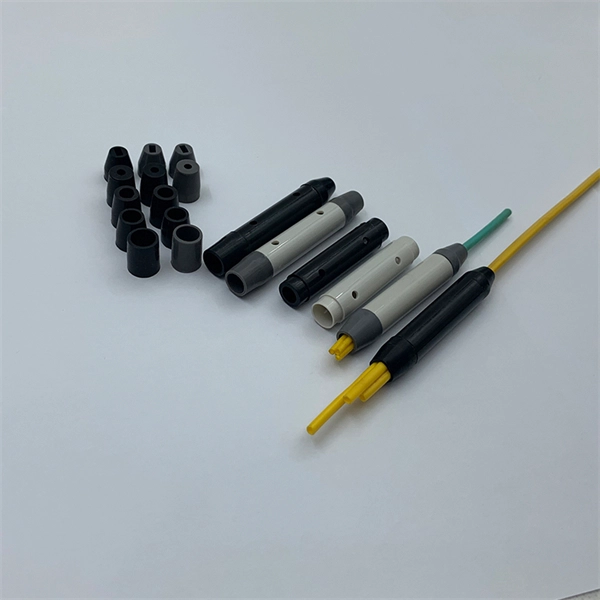
Connecting Optical Fibers
Connect optical fibers to the optical modules on the device, matching the numbers on the optical fibers to those on the ports. To connect them, align the fiber connector with the bores on the optical module
Connecting Second-Generation Hybrid Cable
Connect the jumper to the corresponding ports on the HDF and hybrid optical-electrical switch. During the connection, ensure that the port numbers on the HDF are the same as those on the switch.
Optical Fiber
The Huawei-developed optical modules of CE series switches support two types of optical connectors: lucent connectors or local connectors (LCs) and Multi-fiber Push On (MPO) connectors.
Connecting Huawei switch to fiber optic cable
To connect optical fibers to an optical module, align the fiber connector with the bores on the optical module and insert the fiber connector. When you hear a click, the optical fiber is securely connected.
01-08 CONNECTING SWITCHES
To connect optical fibers to an optical module, align the fiber connector with the bores on the optical module and insert the fiber connector. When you hear a click, the optical fiber is securely connected.
S110, S220, S310, S530, and S620 Series Switches Installing an
The method used to install a copper transceiver module is the same, except that the copper transceiver module connects to a network cable instead of optical fibers.
Optical Module Solutions for Huawei S5700/S5720 Series Switches
This article summarizes several solutions for using optical modules with switches and common problems encountered during usage, along with specific solutions.
Huawei Fiber Optic Switches in 2024: Beyond the CloudEngine Hype
When a Dubai data center operator discovered 37% lower latency using Huawei''s “forgotten” OptiXtrans E6600 fiber switches compared to mainstream alternatives, it revealed a critical truth: Huawei''s fiber
OLT-and-Switch-Config-Troubleshooting/GPON/README.md at main
📘 Overview GPON (Gigabit Passive Optical Network) is an advanced fiber-optic communication technology defined by the ITU-T G.984 standard. It delivers high-speed internet, voice (VoIP), and
Huawei Fibre Switch: Invisible Game-Changer? Can Lightning-Fast
And could upgrading to Huawei''s fibre switches actually future-proof your operations against AI, VR, and other bandwidth-hungry tech? Let''s cut through the hype and explore how these
Campus Network Feature-Level Deployment Best Practices
Select stack cables before connecting them. For details about the stack cables that apply to different ports on different switch models, see Stack Support and Version Requirements in the product
Installing Optical Modules and Connecting Optical Fibers
This document describes hardware installation procedures of the S12700 series switches, troubleshooting methods for common hardware faults, and switch maintenance instructions.
Optical Fiber
An active optical cable (AOC) is a fixed-length optical fiber with optical modules at both ends. It can be directly connected to an optical port on a device. In short-distance connection scenarios, AOCs can
Connecting Optical Fibers
Before deploying optical fibers, test optical fiber connectivity. Before connecting cables, take ESD protection measures, for example, wear ESD gloves or an ESD wrist strap. Keep signal cables more
Assembling a Hybrid Cable 2.0
Assembling a Hybrid Cable 2.0 Context A hybrid cable is composed of optical fibers and copper cores. It is mainly used to connect a switch to an AP so that the switch can provide PoE power and transmit
Installing an Optical Module
The method used to install a copper transceiver module is the same, except that the copper transceiver module connects to a network cable instead of optical fibers. Never look directly into an optical
HUAWEI NIP6300, NIP6600 Series V500 Hardware Guide (pdf)
The optical fiber is used for carrying signals on Gigabit networks or networks with a higher packet rate. The optical fiber connects to the SFP+ or SFP interface on the NIP through an optical module. You
forum.huawei
We''re sorry but web site doesn''t work properly without JavaScript enabled. Please enable it to continue.
Related Video Reference
This video was associated with the source search result. Verify technical details against current product documentation and project requirements.