
Fiber infrastructure reference
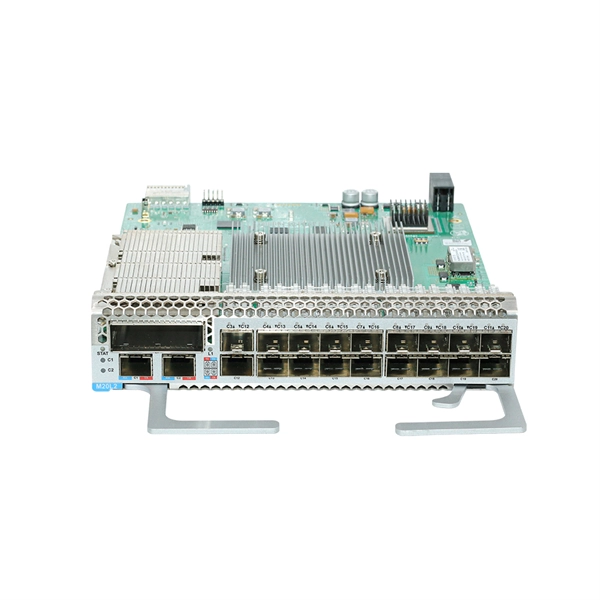
How to Connect Fiber Optic Cable to Router: A Step-by-Step Guide
However, setting up a fiber optic connection to your router can seem daunting if you''re unfamiliar with the process. In this guide, we''ll walk you through how to connect a fiber optic...
How to Connect Fiber Optic Cable to Router: Top 5
Learn how to connect fiber optic cable to router with our step-by-step guide. Optimize your home network for speed and reliability!
How to Connect Fiber Optic Cable to Router: Complete Guide 2025
By following this detailed guide, you''ve not only learned how to connect fiber optic cable to router properly but also how to optimize and maintain that connection for peak performance.
Complete Guide to Fiber Optic Home Networking | BroadbandSearch
Build a home fiber network for 1-2 Gbps speeds with this complete guide to installation, troubleshooting, and performance.
How to Connect a Fiber Optic Cable to a Router
Connect fiber internet correctly. Learn the essential hardware bridge and sequential steps needed to link the optical line to your router.
Fiber Internet Installation: Step-by-Step Guide (2026)
For a fiber optic connection, you need an optical network terminal (ONT), a router, and appropriate Ethernet connections for wired devices. Your service provider typically supplies the ONT,
Can I Use My Own Router for Fiber Internet? | Mercury
See when you can use your own router for fiber internet, what equipment is still required, and how to choose a compatible router for your home.
Can I connect two routers to one fiber modem?
Learn if you can connect two routers to one fiber modem for better WiFi coverage. Discover setup methods and potential challenges.
Set Up Your Own Router at Home
Follow these steps to set up your own router with GFiber internet service. You''ll connect your Fiber Jack, power on your router, and configure your Wi-Fi network. Note: Using your own router is
How to use multiple routers with fibre optics cable?
I am not very experienced with optic fibre installations, so bear with me if I get something wrong. Assume you have house with direct access to an optic fibre cable (FTTP). In the basement,
How to connect a new optic fibre to an ethernet switch
As we speak I just have optic fibre (Community Fibre) connected to my Huawei modem / Linksys Velop which will be connected to a new POE switch (need to identify the best model to be
How To Replace ISP Router With Your Own | Swapping Routers
To get the most out of your new router, selecting the right equipment is key. If you''re using Verizon''s fiber-optic service, choosing the best router for FiOS can greatly enhance your
How to Connect Fiber Optic Cable to Router: Complete Guide 2025
The difference between a properly installed fiber connection and a hasty setup can be measured in hundreds of megabits per second. Take the time to connect fiber optic cable to router
How to Switch Internet Providers: A Step-by-Step Guide
Once you''ve decided on a new fiber internet provider, select the internet plan that best suits your needs in terms of speed, bandwidth, and price. Inquire about installation dates and
Do You Need a Modem for Fiber Internet? | BroadbandSearch
Unsure if you need a modem for fiber internet? Here''s everything you need to know to ensure you get the right equipment for your fiber-optic connection.
Switching to Fiber Internet: What You Need to Know for
Will fiber internet boost my home WiFi performance? In short, yes. But you will still need a high-bandwidth, high-quality router that can support fiber performance to
How To Replace a Router and Optimize Your Network?
After you''re all set up and ready to go, it''s time to enjoy your new network with all the settings to your liking. Some ISPs like Fidium Fiber also offer an incredibly easy
Two routers on a fibre optic network? : r/HomeNetworking
I''m a beginner with networking. We have a fiber connection in our building. The junction box (pictured) has a straight connection from the fibre modem to a single Ethernet connection in one of the room A
Related Video Reference
This video was associated with the source search result. Verify technical details against current product documentation and project requirements.