
Fiber infrastructure reference
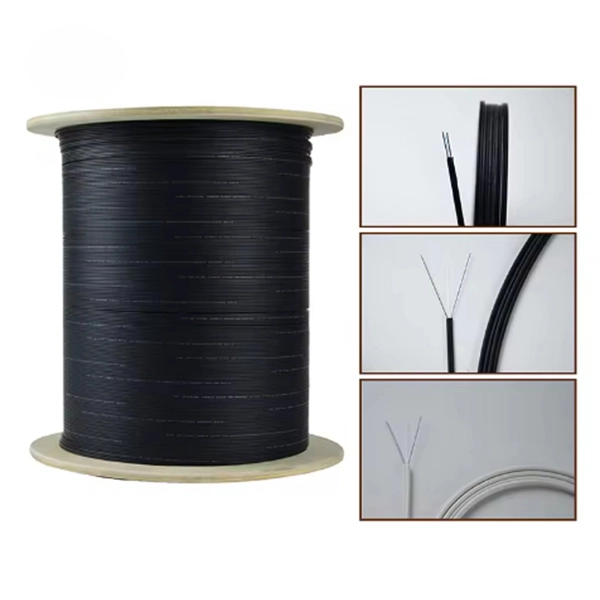
How to Connect Fiber Optic Cable to Router: A Step-by-Step Guide
However, setting up a fiber optic connection to your router can seem daunting if you''re unfamiliar with the process. In this guide, we''ll walk you through how to connect a fiber...
How to Connect a Fiber Optic Cable to a Router
Setting up a fiber internet connection requires understanding key hardware components and following a specific connection sequence to establish your home network. This guide details the
How to Connect Fiber Optic Cable to Router: Complete Guide 2025
By following this detailed guide, you''ve not only learned how to connect fiber optic cable to router properly but also how to optimize and maintain that connection for peak performance.
How to Connect Fiber Optic Cable to Router: Top 5
Learn how to connect fiber optic cable to router with our step-by-step guide. Optimize your home network for speed and reliability!
Complete Guide to Fiber Optic Home Networking | BroadbandSearch
Build a home fiber network for 1-2 Gbps speeds with this complete guide to installation, troubleshooting, and performance.
How To Configure Router For Fiber Internet: Step-By-Step Guide
To set up your router for fiber internet quickly, connect the router to your fiber modem, access the router''s settings via a web browser, and input the provided ISP credentials. Make sure to
How to connect a fiber optic cable to the router
Turn on the router: Once the fiber optic cable is connected to the router, turn the device back on and wait for the connection to be reestablished. The router may require a few minutes to set
How to Connect Fiber Optic Cable to Router: A Step-by-Step Guide
Connecting a fiber optic cable to a router might seem daunting at first, but with the right tools and a bit of patience, it''s a straightforward process. Here''s a step-by-step guide to help you through it.
How To Connect Fiber Optic Cable To Router?
Connecting a fiber optic cable to a router involves a few key steps and specialized equipment. Here''s a simple guide to help you through the process: 1. Check Your Fiber Optic
How to Configure Router (Step-by-Step)
The simple guide to setup your home network router. Including some tips to get the best performance from your internet connection
10 Best Optical Fiber Router: In-depth Reviews
In a time of ubiquitous online connectivity, it is evident that the best optical fiber router can enhance your online experience because it provides you
Key Differences Between Fiber Optic & Wireless Internet
Are you curious about the difference between fiber and cable internet? Explore key contrasts in speed, reliability, and setup to find the best option.
Modem Router Lights Meaning: Complete Guide to
Decode modem router lights meaning with our complete guide. Learn what blinking patterns and colors indicate, troubleshoot connection issues, and
Fiber Optic Equipment: What Do You Need for Internet?
Do I Need a Modem for Fiber Internet? Nope. With fiber, the ONT replaces the modem entirely. The ONT connects to your provider''s fiber optic network equipment, translates the signal,
Fiber Optic Internet Installation Guide | Verizon Business
Follow our fiber optic internet installation guide for businesses and set up high-speed connectivity with ease. Ensure a smooth transition to fiber. Learn more now!
2025 Guide to Fiber Optic Splice Enclosures for
Ensure reliable networks in extreme weather with fiber optic splice enclosures. Learn about materials, weatherproof ratings, and installation tips for
Full text of "NEW"
Full text of "NEW" See other formats Word . the, > < br to of and a : " in you that i it he is was for - with ) on ( ? his as this ; be at but not have had from will are they -- ! all by if him one your or up her there
Fiber Optic Troubleshooting: Expert Guide for Common Issues
Fiber optic troubleshooting is an essential skill for network administrators, technicians, and engineers responsible for maintaining and repairing fiber optic systems. These high-speed, high
Related Video Reference
This video was associated with the source search result. Verify technical details against current product documentation and project requirements.