
Fiber infrastructure reference
Can I Use My Own Router for Fiber Internet? | Mercury
See when you can use your own router for fiber internet, what equipment is still required, and how to choose a compatible router for your home.
How to Connect Fiber Optic Cable to Router: A Step-by-Step Guide
However, setting up a fiber optic connection to your router can seem daunting if you''re unfamiliar with the process. In this guide, we''ll walk you through how to connect a fiber optic...
How to Connect Fiber Optic Cable to Router: Complete Guide 2025
By following this detailed guide, you''ve not only learned how to connect fiber optic cable to router properly but also how to optimize and maintain that connection for peak performance.
How to Connect Fiber Optic Cable to Router: Top 5
Learn how to connect fiber optic cable to router with our step-by-step guide. Optimize your home network for speed and reliability!
How to Connect a Fiber Optic Cable to a Router
Learn the essential hardware bridge and sequential steps needed to link the optical line to your router.
Complete Guide to Fiber Optic Home Networking | BroadbandSearch
Build a home fiber network for 1-2 Gbps speeds with this complete guide to installation, troubleshooting, and performance.
How to Replace a Router with a New One: Step-by-Step Guide
You might need a new router if your connections are constantly dropping, you see the device rebooting, everything gets really slow, or you''re just not getting a solid connection or good experience.
How to connect a fiber optic cable to the router
Connect the fiber optic cable to the router: Carefully insert the end of the fiber optic cable into the corresponding port on the router. Make sure the connection is tight to avoid connection
Replace ISP Modem / Router
Below is a curated index of reputable resources, compatibility lists, and support pages to help you choose, configure, and troubleshoot third-party modem and router hardware across cable,
How To Connect Fiber Optic Cable To Router?
Connecting a fiber optic cable to a router involves a few key steps and specialized equipment. Here''s a simple guide to help you through the process: 1. Check Your Fiber Optic
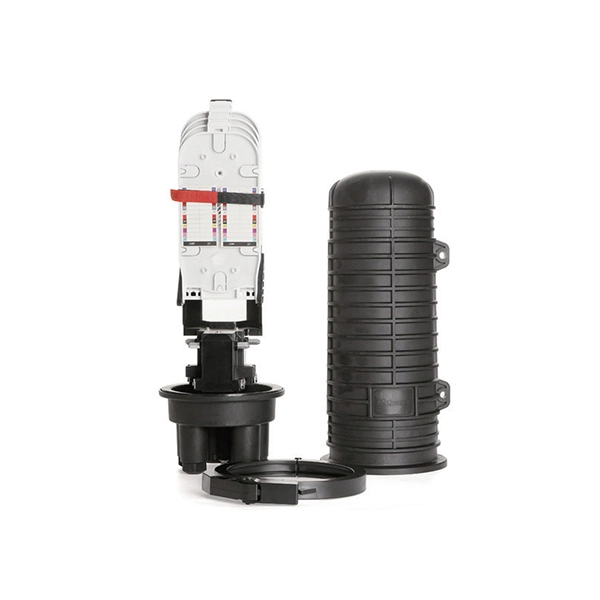
Everything you need to know about fiber optic termination
Different connectors and splice termination procedures are used for singlemode and multimode connectors, so make sure you know what the fiber will be before you
What Is an ONT & How Is It Used in Fiber Networks?
Some people call it an "ONT box" or "fiber box," but the job is the same: it''s what makes your fiber connection usable inside your home. What''s the difference
Openreach equipment in your home | ONT Box, Fibre
What Openreach equipment you may have in your home Optical Network Terminal (ONT) The Optical Network Terminal (ONT) is the main connection point
Fiber Optic Internet Installation Guide | Verizon Business
Follow our fiber optic internet installation guide for businesses and set up high-speed connectivity with ease. Ensure a smooth transition to fiber. Learn more now!
How do You Connect Fiber Optic Cable to SFP?
Learn how to connect a fiber optic cable to an SFP module correctly. Follow our step-by-step guide, avoid common mistakes, and troubleshoot connection issues.
Fiber Optic Internet Equipment Guide | Verizon Business
Get the fiber optic internet equipment guide to ensure a smooth setup and optimal performance. Find the right hardware for your business needs. Read now!
NYT Connections archive – All past answers
Every NYT Connections puzzle ever published is listed here, organised by date, with all four category groups and their sixteen words. The NYT only offers the current day''s puzzle for free,
Why is my internet so slow? 11 causes + how to speed
Learn the potential causes for a slow internet connection and get tips to improve your internet speed.
Related Video Reference
This video was associated with the source search result. Verify technical details against current product documentation and project requirements.