
Fiber infrastructure reference
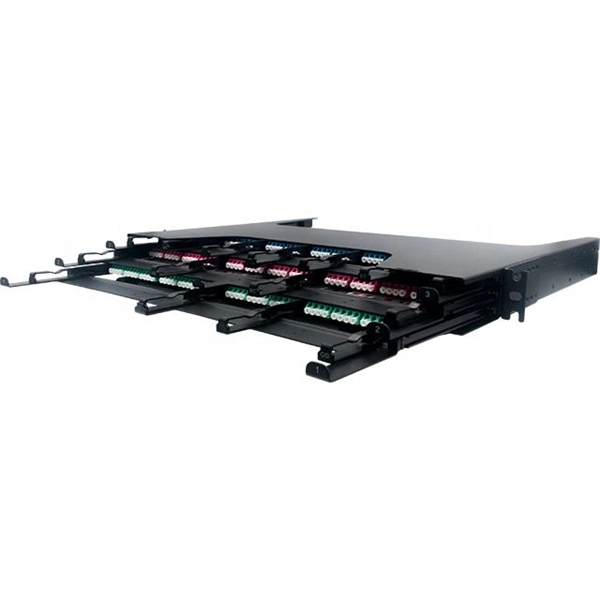
Installation and Maintenance Guide for Gigabit Optical Modules and 10
Inserting and Removing Optical Modules: When inserting or removing optical modules, gently insert the module into the slot, ensuring proper alignment of the interface.
10GE SFP+ Optical Modules
Single-fiber bidirectional (BIDI) optical modules must be used in pairs. For example, SFP-10G-BXU1 must be used with SFP-10G-BXD1.
Gigabit Interface Converter Installation Note
Gigabit Interface Converter Installation NoteDocument ContentsGBIC DescriptionHandling A GBICInstalling A GBICRemoving A GBICFCC Class A ComplianceCisco Connection OnlineDocumentation CD-ROMGigabit Ethernet switching modules can be shipped with or without GBICs installed. Note GBICs are hot-swappable in Gigabit Ethernet modules. Perform the following steps to install a GBIC. Step 1 Remove the GBIC from its protective packaging. Step 2 Check the part number to verify that the GBIC is the correct type for your network (see the "GBIC Des...See more on cisco Published: Jan 14, 2014Cisco
OSM Installation and Verification Note [Cisco 7600 Series Routers
This publication provides procedures for installing and connecting Optical Services Modules (OSMs) in Cisco 7600 series routers and Catalyst 6500 series switches.
Installing Optical Modules
A copper module is installed in the same way as an optical module, except that the copper module connects to an Ethernet cable instead of an optical fiber. This section uses an optical module as an
How to Install and Remove Optical Modules Safely
Install optical modules safely with ESD protection, proper handling, and dust control. Follow these steps to avoid damage and ensure network reliability.
201845_PluggableModulesInstall_RevG
These installation instructions provide overview and specification information for small form-factor pluggable (SFP/ SFP+/SFP28) modules, as well as instructions for installing and removing the modules.
DAHUA GSFP-850-MMF USER MANUAL Pdf Download | ManualsLib
This module is designed to offer fast and reliable data transmission using multimode fiber. With a transmission distance of up to 550 meters, it is ideal for high- speed network applications.
Dell PowerConnect W-Series SFP Installation Guide
Use standard ESD precautions when installing an SFP module. Slide the SFP module into a 1000Base-X port of the controller/switch until a connection is made and an audible click is heard. Lock the SFP
TP-LINK MC220L USER MANUAL Pdf Download
Note: MC220L needs to be plugged in with an SFP module to work normally. It is recommended to use a TP-Link SFP module on MC220L, because other
VIAVI Solutions | Network Test, Monitoring, and Assurance
Our test, monitoring, assurance, and resilient position, navigation and timing solutions enable and secure critical infrastructure ranging from data center
TP-LINK Omada Gigabit SFP Module, 1000Base-SX Multi-Mode
TP-LINK Omada Gigabit SFP Module, 1000Base-SX Multi-Mode Fiber Mini GBIC Module, Plug and Play, LC/UPC Interface, Up to 550/220m Distance (SM311LM)
Gigabit Ethernet Network Modules
Gigabit Ethernet network modules support GBIC hot-swapping. To save time, do not power down the router and network module before installing or removing the GBIC.
Cisco 40-Gigabit QSFP+ Transceiver Modules Installation Note
This installation note provides the installation instructions for the 40-Gigabit Quad Small Form-Factor Pluggable Plus (QSFP+) transceiver modules. The modules are hot-swappable input/output (I/O)
Cisco Transceiver Modules
Cisco 100 Gigabit Modules Cisco 40-Gigabit and 100-Gigabit CFP Transceiver Installation Note Cisco Optical Transceiver Handling Guide (PDF - 582 KB) Regulatory Compliance and Safety Information -
Multi-mode optical fiber
Multi-mode optical fiber is a type of optical fiber mostly used for communication over short distances, such as within a building or on a campus. Multi-mode links can be used for data rates up to 800 Gbit/s.
PA-GE Gigabit Ethernet Port Adapter Installation and
The PA-GE (see Figure 1-1) is a single-port port adapter that, when combined with the appropriate optical fiber cable and a Gigabit Interface Converter (GBIC), provides one Gigabit
Overview of SFP Gigabit Optical Module
After confirming the module model, gently insert the SFP optical module into the device''s SFP port, pushing it forward along the guide rail until a “click” sound indicates successful installation.
What Are The Types Of Gigabit Optical Modules
The interface type of dual fiber optical module is duplex LC, and the optical fiber types are single-mode and multi-mode. Gigabit multimode optical module is used together with OM2