
Fiber infrastructure reference
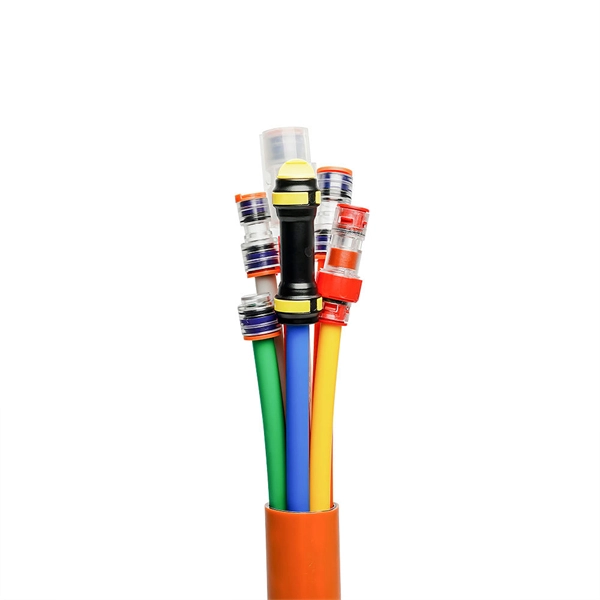
Fiber Network Troubleshooting – Common Issues & Fixes
Learn how to troubleshoot fiber networks. Identify common issues like high loss, dirty connectors, and signal drops, with practical solutions for optical links.
The Ultimate Fiber Troubleshooting Bible for Beginners 2025
When your fiber optic network experiences issues, you need a fast and reliable process. This flowchart helps you identify and resolve most problems in just five minutes.
How to Connect Fiber Optic Cable to Router: A Step-by-Step Guide
However, setting up a fiber optic connection to your router can seem daunting if you''re unfamiliar with the process. In this guide, we''ll walk you through how to connect a fiber optic...
Fiber ONT Troubleshooting
Don''t let optical network terminal (ONT) problems disrupt your fiber-optic experience. At BroadbandSearch, we developed this guide to help you avoid unnecessary service calls and prevent
How to Connect Fiber Optic Cable to Router: Complete Guide 2025
By following this detailed guide, you''ve not only learned how to connect fiber optic cable to router properly but also how to optimize and maintain that connection for peak performance.
Unable to Connect Router to Fiber Optic Cable Modem
Despite multiple attempts, the Archer AX6000 v1.0 is unable to connect to the modem. The blue light on top of the router spins around for a few minutes as it tries to negotiate a connection
Fiber Optic Troubleshooting: Expert Guide for Common Issues
Troubleshoot fiber optic issues like a pro with our expert guide. Resolve common problems and ensure seamless connectivity.
Troubleshooting Fibre No Connection or No Internet
Your fibre box (ONT) connects to the router using a network cable. If this cable is plugged into the wrong port, your router may power on and broadcast WiFi, but the internet will not
No connection to full fibre following installation
Try plugging the cable into port 4 or port 1 some routers it''s 4 some it''s 1. If that doesn''t work you could log into the router and check settings there to make sure it has the correct settings.
TP-Link Router Not Connecting to Internet?
If your TP-Link router not working after setup is your current headache, this guide is for you. These troubleshooting steps are for users who have already completed the initial setup but still
Internet anywhere – devolo cures weak Wi-Fi | devolo
Internet and Wi-Fi anywhere with devolo Wi‑Fi Mesh System devolo Wi-Fi mesh systems reliably and stably bring the performance of your internet connection (including fibre and gigabit cable
How to connect a fiber optic cable to the router
The router may require a few minutes to set up the new connection. 7. Verify the connection: To make sure everything worked correctly, check the internet connection on your
FRITZ! Box 5590 Fibre | Router for a Fibre Optic Connection
Box 5590 Fibre | Router for a Fibre Optic Connection (Wi-Fi 6, up to 2,400 Mbps (5 GHz) and 1,200 Mbps (2.4 GHz), WLAN Mesh, DECT Base, 2.5 Gigabit LAN Port, Suitable for Germany)
Can I Use My Own Router for Fiber Internet? | Mercury
Key Takeaways: Yes, you can use your own router with fiber internet, as long as it has a Gigabit Ethernet WAN port to connect to your ISP''s Optical
9 Best Fiber Optic Modem Router Combo | Skip the SFP+ Confusion
The moment your fiber ONT lights up, the bottleneck shifts from your ISP to the box on your desk. A standard router chokes on multi-gig plans, but the right fiber optic modem router combo turns that
The Galaxus forum on the topic of Routers
Does anyone have any experience of which fibre optic router offers comparable WLAN performance to the Internetbox 2 from Swisscom? Background: My new Internet provider - GGA Maur - has provided
How to Connect Fiber Optic Cable to Your Router
Master the process of connecting a fiber optic cable to your router. Dive into preparation tips, setup instructions, and configuration settings for optimal fiber
Networking Solutions: Discover Cloud Services
We provide networking solutions to power your business. Our flexible and scalable cloud networking services help optimize your network infrastructure.
Related Video Reference
This video was associated with the source search result. Verify technical details against current product documentation and project requirements.