
Fiber infrastructure reference
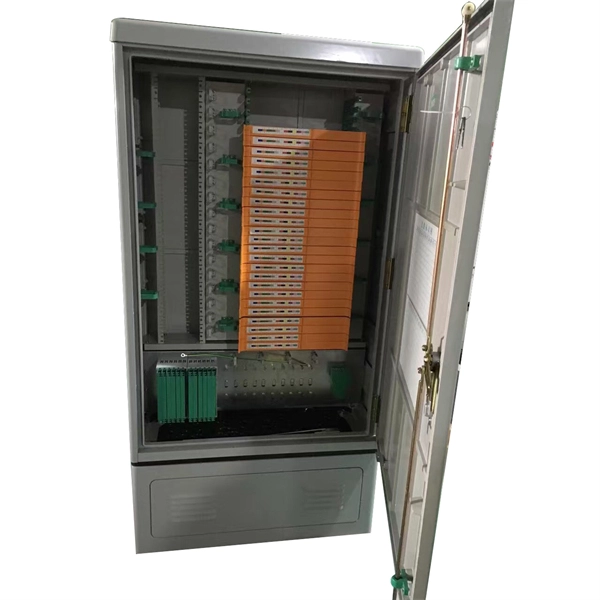
Network Cabinet Installation Steps: A Detailed Tutorial from Scratch
Choosing the right network cabinet is crucial before installation. There are two main types of network cabinets commonly found on the market: floor-standing cabinets and wall-mounted
How to Properly Install and Set Up a Network Cabinet System
Installing and setting up a network cabinet system correctly is essential for maintaining an efficient and organized network infrastructure. In this comprehensive guide, we will walk you through
Network Cabling Installation Example and Overview of Cabinet with
In today''s video, we provide an in-depth overview of network cabling installation and delve into the details of setting up a network cabinet.
The Ultimate Guide to Setting Up a Home Network Wiring Cabinet
Following these step-by-step instructions will help you set up a well-organized and efficient home network wiring cabinet, ensuring a reliable and high-performing network for your household.
Network Cabling Installation Guide: Step-by-Step
This comprehensive guide covers the essential steps, industry best practices, common pitfalls, and safety considerations for successful network
Network Cabinet Cabling: Guide & Documentation Tips
Practice-oriented guide to network cabinet cabling with documentation template, safety aspects & software tips.
Best Practices for Network Rack & Cabinet Installation
Implementing best practices for network rack and cabinet installation significantly enhances the performance, reliability, and longevity of your network infrastructure.
Installing Network Cabinets, IT Cabinets, and Battery Cabinets
Installing Network Cabinets, IT Cabinets, and Battery Cabinets Moving Network Cabinets, IT Cabinets, and Battery Cabinets (Optional) Installing Side Panels for IT Cabinets (Optional) Taking Out rPDU
How to Set Up a Home Server Rack (Complete DIY Guide)
Setting up a home server rack creates a cleaner, safer, and easier-to-manage environment for your servers and networking gear. A well-designed rack improves airflow, cable
Assembling the PEL network cabinet – step-by-step instructions for
In this assembly video, EFB-Elektronik shows you how to assemble the PEL network cabinet easily and efficiently – explained step by step. Perfect for installers and IT professionals who
How to Build a Network Cabinet
How to Build a Network Cabinet Pull cabinet out of package and make sure holes are on your left and latch is on your right. Untie the plastic cover from the back, it needs to be put back on the cabinet
Organising and wiring a rack cabinet: a complete guide
A network rack cabinet or panel contains servers, patch panels, connection panels and circuit breakers in a modular assembly, bolted to ensure security and
Network Rack Installation
I was running out of room in my old network rack, so I decided to purchase a new one. In this video I go through a full network rack installation to move my test network into its own rack.
How to Make a Network Cable: Easy Steps (with Pictures)
DIY steps to make your own straight-through or crossover cablesIt is often cheaper and easier to use ready-made network cables, but if the cable is inside equipment where it must be an exact length or it goes through a hole that is too...
How to Design Electrical Control Panels: A Step-by-Step Guide
Learn the step-by-step process for designing efficient electrical control panels, from understanding requirements to selecting components and ensuring proper wiring and safety.
The Ultimate Guide to Setting Up a Home Network Wiring Cabinet
In this ultimate guide, we will walk you through the step-by-step process of setting up a home network wiring cabinet. We will discuss the importance of cable management, the types of cabinets available,
Network Installation Steps: How To Set Up (2025 Updated)
How do you move from wanting a wired network to actually having one? Create effective, efficient business networks by following these network
3 Simple Ways to Assemble a Server Rack
If you want a safe and efficient way to store and connect your computer network equipment, a server rack is definitely the way to go. When it''s
Related Video Reference
This video was associated with the source search result. Verify technical details against current product documentation and project requirements.